US EMS
US EmergencyUS EMS - Non Els Cars
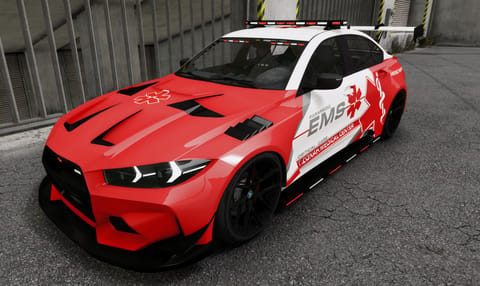
Ubermacht Stratos RS - EMS - Marked / Unmarked - NON ELS
Ubermacht Stratos RS - EMS - Marked / Unmarked - NON ELS
£16.99

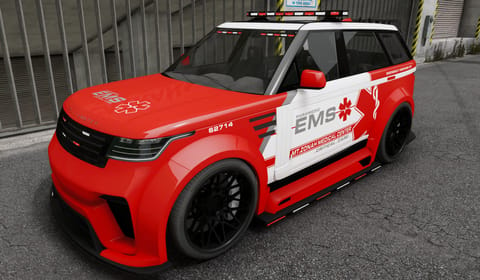
Obey Revenant - EMS - Marked / Unmarked - NON ELS
Delivered through Tebex. Escrow-protected packages install via Cfx.re Keymaster. Support in the GXD Discord.
Obey Revenant - EMS - Marked / Unmarked - NON ELS
Feature list arrives with the live listing.
Non-ELS setup
This is a Non-ELS car. It uses GTA’s own lights, so no ELS script is needed. Replace spawncode with the car’s spawn code.
resources folder.ensure and the folder’s name to server.cfg.spawncode.Non-ELS cars use GTA’s own built-in lights. You don’t need an ELS script.
carcols.meta and carvariations.meta.carcols.meta · inside <Sirens> → <Item><id value="150" />carvariations.meta · in the car’s entry<sirenSettings value="150" />Change it with Pack Doctor (finds and fixes clashing siren IDs). Want a different flash pattern? Build one in Signal Bench.
Why: Another pack uses the same siren ID.
Fix: Pick a new, unused number and change it in carcols.meta and carvariations.meta. Both must match.
Open Pack DoctorWhy: The number in carvariations.meta doesn’t match the one in carcols.meta.
Fix: Make both numbers the same, then restart the server.
Open Meta EditorWhy: Siren tones come from a siren script, which isn’t included.
Fix: Install a siren script and set it up for this car’s spawn code if it asks for one.
Why: Only one file was changed, or the server is still using old files.
Fix: Change both files, then restart the server. Still the same? Clear the server cache and restart.
Why: The pattern is part of the car’s carcols.meta siren entry.
Fix: Build a new pattern and export the carcols entry.
Open Signal BenchStill stuck? Ask in the GXD Discord.
ensure plus the folder name to server.cfg, restart. Works on ESX, QBCore and standalone servers.Free FiveM tools for this package: Signal Bench · Vehicle Registrar · Livery Workshop · YTD Resizer