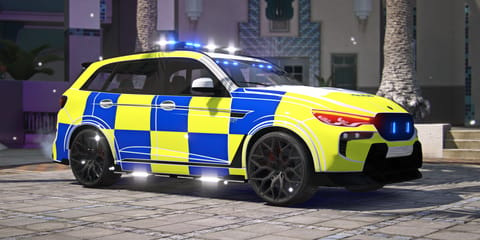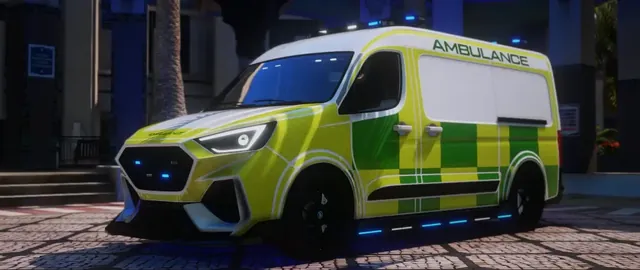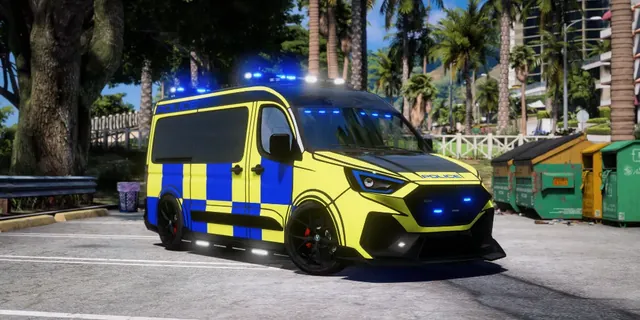
UK PoliceSale
UK EmergencyUK - V1 Emergency Cars - ELS
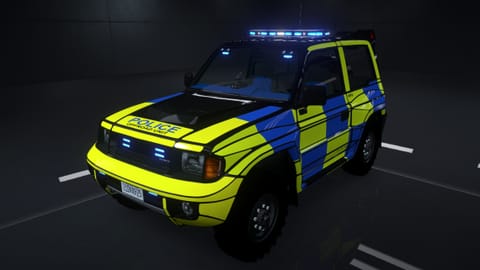
Monstrociti marked OffRoad Unit - ELS
- 195k polys
- monels
Redone Interior: Completely redesigned for a more detailed and realistic look
£10.00£8.50

Custom Widebody & Bodykit: Fully made and converted for a unique, aggressive look. · Custom Wheels: High-quality rims added for a sleek finish. · Realistic 4K Liveries: Includes ARV, RPU, and INTERCEPTOR liveries in one car. · Custom ELS Lights · Burnt Tip Exhaust: Fully modeled and added. · Starlight Roof (Extra): Toggleable and color-changeable. · Full Interior Overhaul: Completely retextured for a premium feel. · New Lore-Friendly Navigation Screen: Designed to fit the in-game universe. · Custom Taillights: Fully designed and integrated. · Custom Dials: Unique speedometer and dashboard gauges. · Seat Logo (Extra): Toggleable custom branding on seats. · Projection LED Door Logo: · Displays when doors open. · Color-changeable. · Custom Car Mats: Added for extra detail.
Delivered through Tebex. Escrow-protected packages install via Cfx.re Keymaster. Support in the GXD Discord.
Custom Widebody & Bodykit: Fully made and converted for a unique, aggressive look. · Custom Wheels: High-quality rims added for a sleek finish. · Realistic 4K Liveries: Includes ARV, RPU, and INTERCEPTOR liveries in one car. · Custom ELS Lights · Burnt Tip Exhaust: Fully modeled and added. · Starlight Roof (Extra): Toggleable and color-changeable. · Full Interior Overhaul: Completely retextured for a premium feel. · New Lore-Friendly Navigation Screen: Designed to fit the in-game universe. · Custom Taillights: Fully designed and integrated. · Custom Dials: Unique speedometer and dashboard gauges. · Seat Logo (Extra): Toggleable custom branding on seats. · Projection LED Door Logo: · Displays when doors open. · Color-changeable. · Custom Car Mats: Added for extra detail.
Feature list arrives with the live listing.
ELS setup
This is an ELS car. It needs a small settings file, because ELS (a script) runs the lights and sirens.
resources folder.ensure and the folder’s name to server.cfg.ballels.ELS (a lights-and-sirens script) needs one settings file per car. Most ELS scripts use an XML file. Some use JSON.
ballels.xml. Use the exact same spelling and capitals.vcf or xmlFiles.vcf.lua? Add the file name to it, the same way as the examples already in there. No list file? Skip this step.vehicles.meta (see below).vcf.lua"ballels.xml",vehicles.meta<vehicleClass>VC_EMERGENCY</vehicleClass>ELS scripts are not all the same. If a step doesn’t match yours, follow your ELS script’s own guide. To change its settings (keys, options) with tick boxes, use Config Editor.
Why: The ELS script can’t find this car’s file.
Fix: Check the file is named ballels.xml, sits in the vehicle folder, and is in the list file (if your script has one). Then restart ELS. Your server console usually says how many ELS files loaded.
Why: Many ELS scripts only work on emergency-class vehicles.
Fix: In vehicles.meta, set <vehicleClass>VC_EMERGENCY</vehicleClass> and restart.
Why: Some scripts need their own file format, or an extra setting (like a vehicle flag) on the car.
Fix: Read your script’s install guide for what it needs. Convert the file to your script’s format if needed.
Open ELS ConfigWhy: The file is broken (for example a missing closing tag) or in the wrong format for your script.
Fix: Open the file in ELS Config to check it, fix it and save a clean copy.
Open ELS ConfigWhy: The ELS file doesn’t match this car’s extras (the light parts on the car).
Fix: Use the file made for this car, or change which extras each light uses.
Open ELS ConfigWhy: The sounds come from the ELS file and your ELS script’s settings.
Fix: Check the sound settings in the car’s ELS file and in your script’s config.
Open Config EditorWhy: Two ELS scripts are running at the same time.
Fix: Run only one ELS script. Remove the other one’s ensure line and restart.
Why: The game doesn’t see the car as an emergency vehicle.
Fix: In vehicles.meta, add FLAG_EMERGENCY_SERVICE (police can also use FLAG_LAW_ENFORCEMENT) to the car’s flags.
Still stuck? Ask in the GXD Discord.
ensure plus the folder name to server.cfg, restart and spawn it with ballels. Works on ESX, QBCore and standalone servers.Free FiveM tools for this package: ELS Config · Vehicle Registrar · Livery Workshop · YTD Resizer